Are Powerline Adapters Worth It? How They Work
Powerline adapters send internet over your electrical wiring. When they beat Wi-Fi, why the box speed is theoretical, and how they compare with MoCA.
On this page
Powerline adapters are worth trying when you can’t run an Ethernet cable and Wi-Fi can’t reach a room well. They are not a sure thing. They send data over your home’s electrical wiring, so speed depends on that wiring and on what else is plugged in. The speed printed on the box is a theoretical maximum.
This is a research-based guide built from Netgear, TP-Link and devolo documentation. We have not tested powerline adapters in our own homes, so there are no speed results here.
Quick answer: should you buy powerline?
| Situation | Better first choice | Why |
|---|---|---|
| You can run a cable | Ethernet | The most reliable link; see our Ethernet cable guide |
| Coax outlets in the rooms you need | MoCA | Uses cable built for data; see what is MoCA |
| One room or device out of Wi-Fi range, no coax | Powerline | Turns a power outlet into a wired connection |
| Weak signal across much of the house | Mesh Wi-Fi | Covers more area; see Wi-Fi router vs. mesh |
How do powerline adapters work?
Netgear says powerline adapters “use your home’s electrical wiring to transmit internet data.” You plug one adapter into an outlet near your router and connect it with an Ethernet cable. You plug the second into an outlet in the room that needs a connection, then connect a device, a TV or a mesh point to it.
TP-Link says that “in most cases” its adapters pair automatically. Netgear notes that powerline products have both a network password and a device password, and some older adapters have no reset or security button.
Why is the speed on the box so high?
Powerline ratings are theoretical. TP-Link says figures such as “600Mbps, 1200Mbps, or 2000Mbps are the highest powerline rate in theory.” Netgear sells the Powerline 2000 (PLP2000), rated “up to 2 Gbps.”
Those figures describe the electrical link under ideal conditions, not what a laptop will measure. TP-Link lists the things that pull real speed down:
- Power strips and surge protectors. Adapters “should always be plugged directly into a wall outlet.”
- Appliances with motors, such as air conditioners, washing machines, fans and kitchen appliances, which “can interfere with powerline signals.”
- Phone and laptop chargers, which “can introduce noise on the power line.”
- Distance. TP-Link gives a maximum range of 300 meters, but says noise and line quality reduce the effective range.
Will powerline work in my home?
Wiring is the deciding factor, and you can’t see it. The practical rules from the manufacturers:
- Same circuit. Netgear says both adapters should be on the same electrical circuit. TP-Link says adapters on separate circuits can pair but won’t communicate.
- Phases. TP-Link says powerline works across phases, but the rate drops. If an adapter pair is slow, try a different outlet for the remote unit.
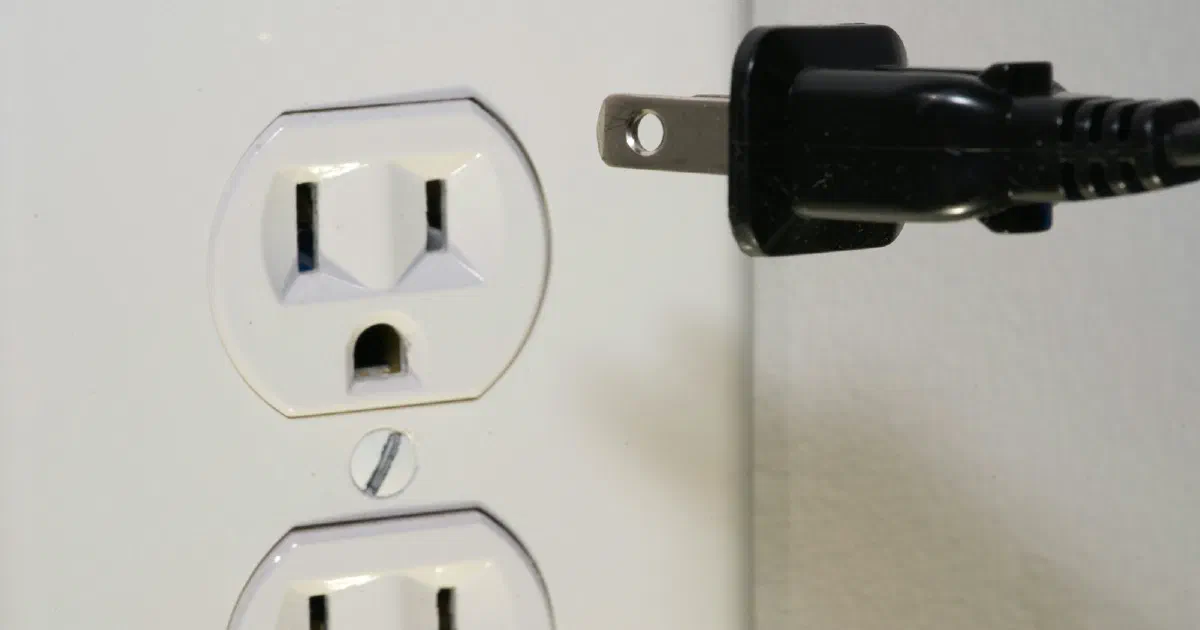
- Wall outlets only. Netgear says performance is “always better” plugged directly into a wall socket. TP-Link adds that some outlets with a built-in surge protector “can also cut the powerline connection.”
- Keep away from noisy devices. Netgear’s product page also advises avoiding outlets near high-power appliances.
Because results vary, buy from a retailer with an easy return policy and test the connection with a wired speed test on day one.
HomePlug AV2 vs. G.hn: which standard?
Two standards are on sale:
- HomePlug AV and AV2. Netgear says “compatibility of the adapters is based on its HomePlug version,” and that HomePlug AV and the older HomePlug 1.0 networks can share a home but “cannot communicate with each other.”
- G.hn. Devolo describes G.hn as a standard developed by the International Telecommunication Union. Devolo moved its Magic adapters from HomePlug AV2 to G.hn and claims G.hn is faster; we have not verified that claim.
They don’t mix. TP-Link says: “G.hn powerline adapters are not compatible with HomePlug AV/AV2 powerline adapters.” Buy a matched kit, and check the standard on the box before adding another adapter later.
Powerline for mesh Wi-Fi
A powerline link can act as a wired backhaul for a mesh point, which frees the mesh system from relaying all traffic over Wi-Fi. Check that your mesh system supports Ethernet backhaul first. Our guide to wired vs. wireless mesh backhaul explains when that matters. Some powerline kits also include a Wi-Fi access point in the remote adapter, which can cover a single room without a full mesh system.
If you’re fixing one weak room, start with our guide to finding and fixing Wi-Fi dead zones.
Fact-check notes
| Important claim | Source | Verification |
|---|---|---|
| 600, 1,200 and 2,000 Mbps ratings are “the highest powerline rate in theory”; most adapters pair automatically; separate circuits won’t communicate; speed drops across phases; surge-protected outlets can cut the connection | TP-Link FAQ 406, updated November 25, 2021 | Verified as of October 15, 2026; an older page, but the guidance is general |
| Plug directly into a wall outlet; motors and chargers add noise; 300 m maximum range reduced by noise | TP-Link FAQ 409, updated June 24, 2026 | Verified as of October 15, 2026 |
| G.hn adapters are not compatible with HomePlug AV or AV2 adapters | TP-Link G.hn page | Verified; this is TP-Link’s regional page, and its statement concerns standards, not regions |
| Netgear: powerline uses home electrical wiring; adapters should be on the same circuit and plugged into a wall outlet; PLP2000 rated up to 2 Gbps | Netgear Powerline | Verified as of October 15, 2026; PLP2000 is the only powerline model listed |
| Netgear: compatibility depends on HomePlug version; HomePlug AV and 1.0 can’t communicate; network and device passwords | Netgear KB 1096, updated July 7, 2025 | Verified as of October 15, 2026 |
| G.hn is an ITU-developed standard; devolo moved Magic adapters from HomePlug AV2 to G.hn and calls it faster | devolo | Verified; the speed claim is devolo’s own and not independently tested |
Bottom line
Powerline is a reasonable fix for one hard-to-reach room when Ethernet and MoCA aren’t options. Treat the box speed as a ceiling, plug both adapters straight into wall outlets on the same circuit, buy a matched kit, and test it while you can still return it.
Frequently asked questions
Do powerline adapters actually work?
They can, but results vary by home. They use your electrical wiring, so wiring layout, separate circuits, appliances with motors and phone chargers can all reduce speed. The rating on the box is a theoretical maximum.
Can I plug a powerline adapter into a power strip or surge protector?
Netgear and TP-Link both advise against it. Plug each adapter directly into a wall outlet. TP-Link says some outlets with built-in surge protection can also cut the connection.
Do both powerline adapters need to be on the same circuit?
Netgear's product page says both adapters should be on the same electrical circuit. TP-Link says adapters on separate circuits can pair but won't communicate.
Can I mix powerline adapters from different brands?
Only if they use the same standard. TP-Link says G.hn adapters are not compatible with HomePlug AV or AV2 adapters, and Netgear says compatibility depends on the HomePlug version.
Is powerline or MoCA better?
If your home has coax outlets in the rooms you need, MoCA is the option to check first, because it runs over shielded cable built for data. Powerline is the fallback when you have outlets but no usable coax or Ethernet.
Sources
- Most frequently asked questions about TP-Link powerline devices, TP-Link (Nov 25, 2021)
- Slow TP-Link Powerline Adapter Speed: 4 Considerations to Improve Performance, TP-Link (Jun 24, 2026)
- G.hn powerline, TP-Link
- Powerline – Turn Any Outlet into a Wired Connection, Netgear
- How to troubleshoot NETGEAR powerlines connectivity, Netgear Support (Jul 7, 2025)
- G.hn – Performance in a New Dimension, devolo