Do You Need a Gaming Router? What the Gaming Features Do
Gaming routers add a priority port, traffic prioritization and paid route services. Here is what each does, what doesn't help, and who should buy one.
On this page
Most players don’t need a gaming router. Online games send and receive very little data, so a faster router rarely makes them smoother. Lag usually comes from a weak Wi-Fi link, other people using the connection at the same moment, or the distance to the game server. The one gaming feature that targets a real cause is traffic prioritization, and many ordinary routers have it too.
A gaming router is a router sold with features aimed at games: a priority port, game-traffic prioritization, and sometimes a paid route service. This is a research-based guide built from the manufacturers’ own descriptions of those features. We have not tested gaming routers, and none of the manufacturer pages we reviewed gives measured latency results.
What actually causes lag in online games?
Two different things get called “lag.”
Latency is the time data takes to travel to the game server and back, measured in milliseconds (ms) and often shown in games as ping. Bandwidth is how much data the connection can carry per second, measured in megabits per second (Mbps). Games are sensitive to latency and need little bandwidth.
The FCC’s broadband speed guide, last reviewed on July 18, 2022, lists 4 Mbps as the minimum download speed for online multiplayer gaming and 3 Mbps for a game console connecting to the internet. Almost any current plan covers that many times over.
Latency gets worse in three common ways, and only one of them is something a router controls:
| Cause | What it looks like | Can a router fix it? |
|---|---|---|
| Your connection is busy | Ping spikes when someone uploads, streams or downloads | Yes, with traffic prioritization or queue management |
| A weak or crowded Wi-Fi link | Lag that’s worse in some rooms or at some times | Partly; a cable fixes it better |
| Distance to the game server, or the provider’s network | Consistently high ping in one game, fine in others | No, except possibly a route service |
The first one has a name, bufferbloat. Our bufferbloat guide explains how to test for it.
Cloud gaming is the exception to “games need little bandwidth.” There, the game runs on a remote server and is streamed to you like video. NVIDIA lists 25 Mbps for its GeForce NOW service at 1080p and 60 frames per second, and 45 Mbps for 4K at 120 frames per second. It also requires less than 80 ms of latency to its data center.
What do gaming router features do?
ASUS publishes the clearest breakdown, describing three “levels” of game acceleration on its ROG gaming routers. Other brands sell similar features under different names.
| Feature | What the manufacturer says it does | Who it helps |
|---|---|---|
| Gaming port | ASUS: a device in the marked gaming LAN port is treated as “the first priority” | Wired consoles and PCs only |
| Game traffic prioritization | ASUS calls it Game Boost, an “adaptive QoS to handle multiple connected devices” that gives game packets top priority | Homes where others use the connection while you play |
| Route service (WTFast) | ASUS: “a network traffic optimization engine for gamers to get a better route from a router to a game server” | Players with a poor route to a specific game’s servers |
QoS stands for Quality of Service, a router setting that decides which traffic goes first when the connection is busy.
The route service is a separate company’s product. TP-Link offers WTFast on its Archer GE800, GE650, GE550 and GXE75 routers and says users can “play without any restrictions for the first month,” which indicates a paid subscription after that. TP-Link lists “lower latency, reduced packet loss, and minimized ping” among the claims, without figures. Treat it as something to trial against the games you actually play, not as a reason to buy a particular router.
Do ordinary routers have the same features?
The one that matters, traffic prioritization, is common. Two examples:
- Netgear Dynamic QoS on Nighthawk routers “resolves traffic congestion when the Internet bandwidth is limited.” Netgear says it can help if your speeds are “250 Mbps or less” and you game or stream, and that at 300 Mbps or faster “you don’t need to use Dynamic QoS.”
- eero’s “Optimize for Conferencing and Gaming”, a beta feature in the eero Labs section of the app. Eero says it “queues wifi traffic and limits the amount of bandwidth certain devices can use,” is “best for internet connections under 500 Mbps,” and that “you may see slower performance on certain devices.”
Both manufacturers make the same point from different directions. Prioritization helps most on slower plans, where a single upload or download can fill the connection. On a fast plan there is more headroom, so the same activity is less likely to slow your game. And prioritizing one thing can slow others.
To check what your router offers, look for “QoS,” “SQM” (smart queue management), “traffic prioritization” or “gaming” in its settings or app.
What doesn’t help?
- Higher maximum Wi-Fi speeds. A router’s headline speed is usually the combined theoretical rate of all its radios; TP-Link’s Archer BE230, sold as a BE3600 router, for example, adds a 2,882 Mbps 5 GHz radio to a 688 Mbps 2.4 GHz radio. Games use a few Mbps. See how much internet speed you need.
- The “gaming” label on its own. It describes features, not performance. Compare the features in the table above, then check whether your current router already has them.
- A new router to fix NAT type. An Open NAT type, which consoles need for party chat and hosting, comes from UPnP or port forwarding. Every router has at least one. Our guide to WPS and UPnP covers the trade-off.
- More bandwidth for a lag problem. If ping is high with nobody else online, a faster plan won’t lower it.
What should I try before buying one?
In rough order of cost:
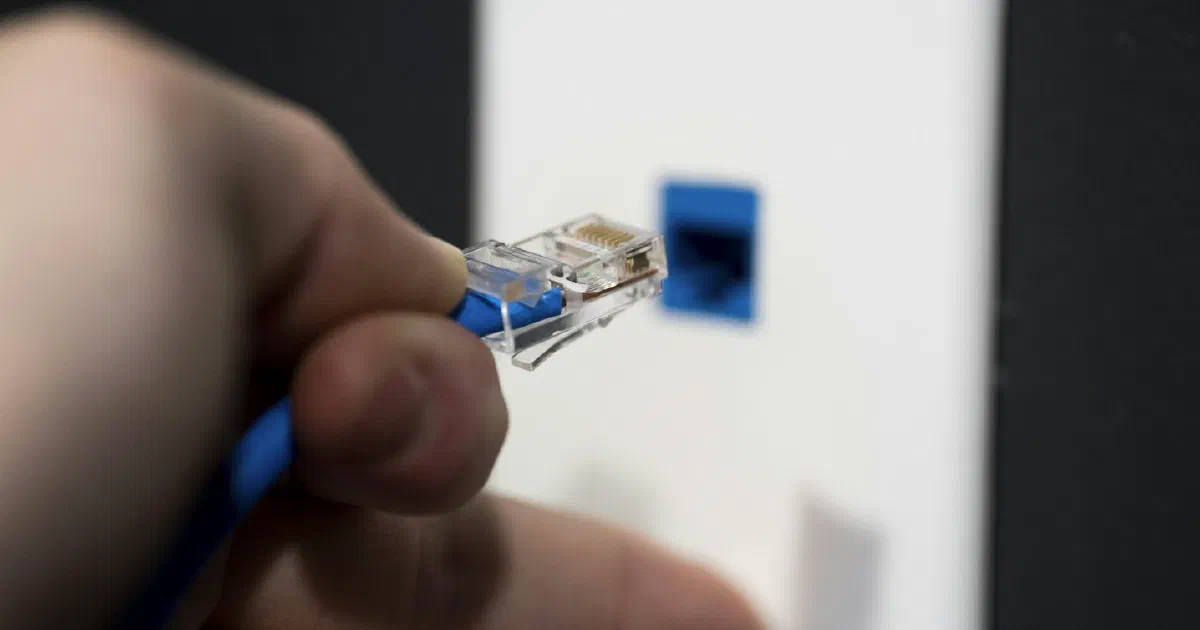
- Use a cable. Connect the console or PC to the router with Ethernet. It removes Wi-Fi from the equation and is what a gaming port assumes anyway. NVIDIA recommends “a hardwired Ethernet connection, or a router with a 5 GHz WiFi connection” for GeForce NOW. Our Ethernet cable guide covers which cable to buy.
- If you can’t wire it, use 5 GHz. Make sure the console or PC is on 5 GHz and not 2.4 GHz. See our Wi-Fi bands guide.
- Test whether lag follows other people’s activity. Run a speed test that reports latency under load while someone else uploads. If ping jumps, it is congestion.
- Turn on your router’s QoS or SQM feature, if it has one, and test again.
- Check NAT type on the console and fix it with UPnP or port forwarding.
- Only then consider a new router, and choose it by the features you found you need.
Who should buy a gaming router?
| Your situation | Reasonable choice | Why |
|---|---|---|
| Lag only when others use the internet, and your router has no QoS | A router with QoS or SQM, gaming-branded or not | This is the problem prioritization targets |
| Several wired gaming devices and you want simple priority control | A gaming router with a gaming port is a fair fit | The port gives one wired device priority without configuration |
| Lag is the same whether or not anyone else is online | Keep your router; check the server, Wi-Fi and wiring | A router can’t shorten the route |
| Fast plan (300 Mbps or more) and no lag spikes | Keep your router | Netgear says prioritization isn’t needed at these speeds |
| You play cloud games | Focus on a wired or strong 5 GHz connection and a plan with headroom | NVIDIA lists 25 to 45 Mbps and under 80 ms latency |
| Your router no longer gets firmware updates | Replace it, choosing on security support and features | A gaming label is optional |
We have not included prices. We only publish a price with the date we checked it.
Fact-check notes
| Important claim | Source | Verification |
|---|---|---|
| The FCC lists 4 Mbps minimum download for online multiplayer and 3 Mbps for a game console connecting to the internet | FCC Broadband Speed Guide, last reviewed July 18, 2022 | Qualified: the FCC calls these rough guidelines; the page is from 2022 |
| ASUS describes a gaming port, Game Boost adaptive QoS, and WTFast as three levels of game acceleration; no latency figures are given | ASUS Support FAQ 1039505, updated September 13, 2023 | Verified as the manufacturer’s description; not tested by us |
| TP-Link offers WTFast on the Archer GE800, GE650, GE550 and GXE75 with a free first month and claims lower latency and packet loss | TP-Link Support FAQ 3734 | Qualified: manufacturer and partner claims without figures; subscription terms after the trial not stated on the page |
| Netgear says Dynamic QoS can help at 250 Mbps or less and isn’t needed at 300 Mbps or more | Netgear Support | Verified as of October 8, 2026 |
| eero’s Optimize for Conferencing and Gaming queues traffic, is best under 500 Mbps, and may slow some devices | eero | Qualified: an undated eero page describing a beta feature |
| GeForce NOW needs 25 Mbps for 1080p at 60 fps, 45 Mbps for 4K at 120 fps, under 80 ms latency, and recommends Ethernet or 5 GHz | NVIDIA GeForce NOW system requirements | Verified as of October 8, 2026 |
| Xbox lists turning on UPnP, then port forwarding, as fixes for NAT problems | Xbox Support | Verified as of October 7, 2026 |
| TP-Link’s Archer BE230 (BE3600) combines a 2,882 Mbps 5 GHz radio and a 688 Mbps 2.4 GHz radio | TP-Link US product page | Verified from manufacturer specifications as of October 4, 2026 |
| Which causes of lag a router can and can’t fix | Our analysis of the sources above | Qualified: an explanation, not a tested result |
Bottom line
A gaming router is an ordinary router with a few traffic features and a label. Before buying one, wire your console or PC, check whether lag follows other people’s activity, and look for QoS in the router you already own. If your router lacks prioritization and congestion is the cause, buy one that has it, gaming-branded or not.
Frequently asked questions
Does a gaming router reduce ping?
It can reduce lag caused by your own network getting busy, by putting game traffic first. It can't shorten the distance to the game server or fix a problem on your provider's network. None of the manufacturer pages we reviewed gives a measured latency improvement.
What is the gaming port on a router?
It is a LAN port the router treats as top priority. ASUS describes it as level 1 of its game acceleration: a device plugged into the marked gaming port is treated as the first priority. It only helps a wired device.
Is WTFast worth paying for?
It depends on your route to the game server. WTFast is a third-party service that ASUS describes as finding a better route from the router to the game server. TP-Link offers it with a free first month, which suggests a paid service after that. Use the trial and compare ping in the games you actually play.
Do I need a gaming router for a fast internet plan?
Less than on a slower plan. Netgear says Dynamic QoS helps on connections of 250 Mbps or less and that you don't need it at 300 Mbps or faster. On a fast plan, congestion inside your home is less likely to be the cause of lag.
Will a gaming router give me an Open NAT type?
Not by itself. NAT type depends on settings any router has: UPnP or port forwarding. Xbox support lists turning on UPnP, then port forwarding, as its fixes.
Sources
- [ROG Gaming Router] Triple-level Game Acceleration - Introduction, ASUS Support (Sep 13, 2023)
- How to Setup WTFast GPN on TP-Link Gaming Router, TP-Link Support
- How does Dynamic QoS help improve my Nighthawk router's Internet traffic management?, Netgear Support
- Here's how to maximize your wifi to work from home, eero
- Archer BE230: BE3600 Dual-Band Wi-Fi 7 Router, TP-Link
- Broadband Speed Guide, Federal Communications Commission (Jul 18, 2022)
- GeForce NOW system requirements, NVIDIA
- Troubleshoot NAT errors and multiplayer game issues, Xbox Support