What Is CGNAT? Why Port Forwarding Fails
What is CGNAT? Your ISP shares one public IPv4 address among many customers, so router port forwarding can't reach you. How to check and work around it.
On this page
CGNAT, or carrier-grade NAT, means your internet provider shares public IPv4 addresses among many customers by running a second layer of network address translation inside its own network. Your router gets a private-style address instead of a public one, so when you set up port forwarding, the open port stops at your router and nothing on the internet can reach it: the provider’s NAT is still in the way. You can confirm it in a minute by checking your router’s internet (WAN) address. If it’s between 100.64.0.0 and 100.127.255.255, you’re almost certainly behind CGNAT, and the fix has to come from your provider, from IPv6, or from a tool that works around inbound connections.
What CGNAT is, and why providers use it
There aren’t enough IPv4 addresses for every home to have its own. Carrier-grade NAT is one way providers stretch them. The IETF’s RFC 7021 describes the common setup, which it calls NAT444: a customer’s traffic passes through two NATs, the one in the home router and a large one in the provider’s network, before reaching the public internet. Many homes then appear to the internet from the same public IPv4 address.
To number the link between those two NATs, the IETF reserved a block in RFC 6598, published in April 2012 as BCP 153: 100.64.0.0/10, which runs from 100.64.0.0 to 100.127.255.255, about 4.2 million addresses. RFC 6598 says this “Shared Address Space” is “intended for use on Service Provider networks” and is separate from the private ranges people use at home, such as 192.168.x.x and 10.x.x.x.
How to tell if you’re behind CGNAT
- Find your router’s WAN address. Open your router’s app or web page and look at its internet, WAN or status screen. Use the main router, the one connected to your modem, fiber box or gateway.
- Compare it with your public address. On a device on your network, search “what is my IP” and note the IPv4 address shown.
- Read the result:
- WAN address starts with 100.64 through 100.127: you’re almost certainly behind CGNAT.
- WAN address matches the public address: no CGNAT. Port forwarding on that router should work.
- WAN address is 192.168.x.x, 10.x.x.x or 172.16.x.x to 172.31.x.x: something else is doing NAT in front of your router. Often that’s your provider’s gateway acting as a second router in your own home, which is double NAT rather than CGNAT, though some providers use these ranges for CGNAT too. Our bridge mode and double NAT guide shows how to fix that. If there’s no other router in front and the address still doesn’t match, ask your provider whether it uses carrier-grade NAT.
Check the router, not a phone or laptop. Tailscale, for example, gives devices on its private network addresses from the same 100.64.0.0/10 block, so a computer running it shows a 100.x address whatever your provider does.
What breaks behind CGNAT
The pattern is simple: connections your devices start outward generally have a path, while connections that must start on the internet and come in to your home don’t. RFC 6598 and the test results in RFC 7021 list the kinds of things that suffered:
- Hosting anything at home over IPv4. Game servers, security cameras you reach directly, home media servers and remote desktop all depend on an inbound port. RFC 7021 reports that FTP sessions to servers “located inside the home (e.g., behind two layers of NAT) failed.”
- Peer-to-peer seeding. RFC 6598 cites “the inability to open incoming ports through the CGN.” In the 2011 tests in RFC 7021, BitTorrent downloads worked but seeding failed in all four NAT444 scenarios tested.
- Some online gaming. RFC 6598 notes console games can fail when two subscribers share an outside address. In RFC 7021’s tests, the Xbox network test in 2010 reported “Your NAT type is moderate,” and Xbox peer-to-peer play failed when the provider’s NAT had a single public address. The RFC adds that a later Xbox update let some games play behind CGNAT.
- Per-address limits and location. RFC 6598 warns that some sites limit simultaneous logins per public IPv4 address and that location lookups may point to the provider’s NAT rather than your home.
- Automatic port opening. UPnP and similar protocols only open ports on your own router. David Anderson’s Tailscale write-up, republished by APNIC, notes that CGNAT providers “tend to turn them off in the equipment they put in homes.”
RFC 7021’s measurements date from 2010 and 2011, and many apps have since added relay servers to cope. Treat them as a map of what kind of traffic is at risk, not a current compatibility list.
How to work around CGNAT
Ask your provider for a public IPv4 address
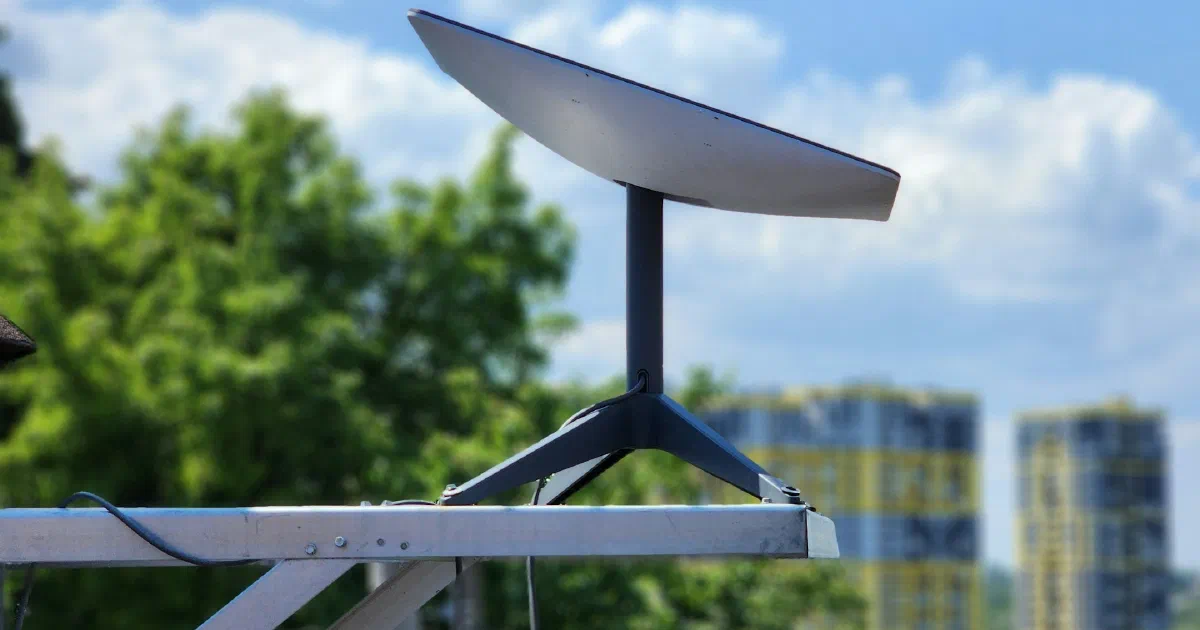
This is the only fix that makes ordinary port forwarding work again. Ask whether your plan can get one, and at what cost; not every provider offers it. Starlink is an example of the middle case: DishyTech reports that standard Starlink IPv4 service uses CGNAT, and that the Priority plan offers an optional public IPv4 address, which isn’t static and can change.
Use IPv6 for inbound connections
IPv6 has enough addresses that providers don’t need to share them, so devices can get globally reachable addresses. If your provider supports it, turn it on (our guide to enabling IPv6 on your router walks through it), then allow the specific inbound traffic you need in the router’s IPv6 firewall. Two limits: the device connecting to you also needs IPv6, and some routers don’t let you write IPv6 firewall rules. DishyTech says Starlink assigns public IPv6 addresses but its own router’s firewall blocks outside traffic with no custom rules, so on Starlink this route needs a third-party router.
Use a tool that connects outward
Mesh VPN and remote-access tools such as Tailscale have each device connect outward and then try to link the devices directly, falling back to a relay server when a direct path fails. Anderson’s write-up says relays “pick up the slack when traversal fails,” which it expects for “a long tail of cases” behind CGNAT. This is the practical option for reaching your own cameras, files or a home server while you’re away, without asking the provider for anything.
Fix what you can at home first
CGNAT is outside your control, but double NAT inside your home isn’t. Remove it first, then retest. If you game, our guides to UPnP and WPS and high ping on Wi-Fi cover the settings that are within reach.
Sources and verification
| Important claim | Source | Status |
|---|---|---|
| 100.64.0.0/10 reserved as Shared Address Space for provider networks, April 2012, BCP 153 | RFC 6598 | Verified |
| CGN issues: console games sharing an address, seeding, geolocation, per-address login limits | RFC 6598 | Verified |
| NAT444: traffic passes through home NAT and provider CGN | RFC 7021 | Verified |
| Servers inside the home failed; seeding failed; Xbox Moderate NAT; Xbox P2P failed with one public address | RFC 7021 | Verified (tests from 2010-2011) |
| CGNAT providers tend to turn off port-mapping protocols; relays cover failed traversal | APNIC Blog / Tailscale | Verified |
| Tailscale uses 100.64.0.0/10 for its device addresses | Tailscale Docs | Verified |
| Starlink IPv4 uses CGNAT; Priority plan public IPv4 not static; public IPv6 with inbound blocked by Starlink router | DishyTech, DishyTech | Qualified (third-party report; check current plans with Starlink) |
Frequently asked questions
Does CGNAT slow down my internet?
Usually not by much. The IETF's tests in RFC 7021 found only slight differences in latency and jitter, though some setups saw reduced performance with large transfers or several video streams at once. CGNAT's main effect is on connections that have to start from the internet and reach a device in your home. The IETF's tests of CGNAT setups also found some applications that failed when two customers shared the same public address.
How do I get out of CGNAT?
Only your provider can take you out of it. Ask whether it offers a public IPv4 address on your plan or another one. If it doesn't, IPv6 or a relay-based tool is the practical route.
Is CGNAT the reason my Xbox or PlayStation shows Strict or Moderate NAT?
It can be. In tests the IETF summarized in RFC 7021, the Xbox network test behind CGNAT reported a Moderate NAT type. Before blaming the provider, rule out double NAT in your own home, which you can fix yourself.
Does Starlink use CGNAT?
For IPv4 on most plans, yes, according to DishyTech, which says Starlink's Priority plan offers an optional public IPv4 address that isn't static. Starlink also assigns public IPv6 addresses, but its own router's firewall blocks unsolicited inbound traffic.
I see a 100.x.x.x address on my laptop. Is that CGNAT?
Not necessarily. Check the router's WAN address, not a device's. Tailscale, for example, gives devices addresses from the same 100.64.0.0/10 range for its own private network, so a laptop running it will show a 100.x address regardless of your provider.
Sources
- RFC 6598: IANA-Reserved IPv4 Prefix for Shared Address Space (BCP 153), IETF / RFC Editor (Apr 1, 2012)
- RFC 7021: Assessing the Impact of Carrier-Grade NAT on Network Applications, IETF / RFC Editor (Sep 1, 2013)
- How NAT traversal works: Concerning CGNATs, APNIC Blog (David Anderson, adapted from the Tailscale blog) (May 3, 2022)
- What are these 100.x.y.z addresses?, Tailscale Docs
- Guide: Starlink Port Forwarding and Workarounds, DishyTech (Aug 12, 2025)
- Can You Get A Static IP From Starlink?, DishyTech (Aug 12, 2025)